
国外大站
get $5 in first trade, store discount 25% + 10%, top up bonus 25% + 10%
4TMR · DISCOVERY
Ever since Counter-Strike 2 dropped, skin inspecting has changed a lot. If you’re like me, you probably miss the days when you could just load up a community server, flex your skins, and check out others’ without any fuss.
Now, things are a bit different, but setting up a CS2 Skin Inspect Server is still possible—it just takes a few extra steps.
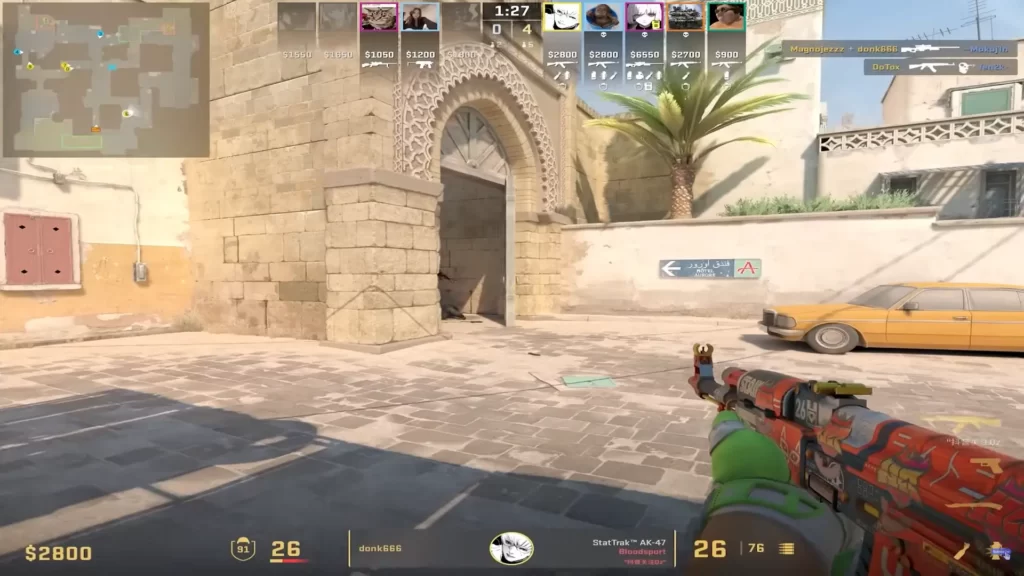
A skin inspect server lets you freely check out any skins with different wear values, stickers, and floats—without needing to own them. In CS:GO, it was as easy as hopping into a custom server with plugins.
In CS2, Valve changed how skins and models work, but there’s still a way to set up your own inspect server.
 See skins in-game: View them under different lighting and environments.
 Inspect rare crafts: Spot high-tier patterns or sticker placements without needing screenshots.
 Helps with trading: Avoid surprises—verify float values and skin condition in-game before a deal.
Now, let’s get into how you can set up your own CS2 skin inspect server.
CS2’s private servers work differently now, but you can still create one:
~) and type:arduinoCopyEditmap de_dust2 This loads you into an offline server.Once you’re in the server, use these commands to enable cheats and access any skin:
sv_cheats 1give weapon_ak47
Since CS2 lacks direct workshop plugins, community servers are your next best bet.
The downside? These servers aren’t always reliable, and not all skins are available.
Setting up a CS2 Skin Inspect Server isn’t as simple as it used to be, but it’s still doable. Whether you go the local server route or find a community server, you’ve got options. Valve might not officially support this anymore, but for traders, collectors, and skin lovers, it’s still worth the effort.
To join a CS2 skin server, go to the Community Server Browser and search for skin-related servers. You can also connect via the console using the connect [IP] command if you have a specific server address. Some servers offer free skin previews for testing before buying.
To inspect a case, go to your inventory, right-click on the case, and select “Inspect”. This lets you view the case contents, including all potential weapon skins and their rarities. You can also hover over each item to see its finish and style.
You can check server info by opening the console (~ key) and typing status. This will display details like server name, tick rate, IP, and player list. You can also check server info in the Community Server Browser under “Server Details.”
To check a skin’s float value, right-click the skin in your inventory, select “Inspect”, and hover over the info box. You can also use third-party sites like CSFloat or inspect skins in the Steam Market to see their wear value before buying.
国外大站
get $5 in first trade, store discount 25% + 10%, top up bonus 25% + 10%