
国外大站
get $5 in first trade, store discount 25% + 10%, top up bonus 25% + 10%
4TMR · DISCOVERY

In the complex and often unforgiving world of Rust, securing your base is just as important as raiding others. One of the most essential tools in your defense and automation arsenal is the Door Controller.
If you’ve ever wondered how to pair a Door Controller to an electrical circuit, or how to fully utilize it with items like Keypads, Switches, or Smart Devices, this guide will walk you through everything you need to know.
Blue H3 Example Table of Contents
 What Is a Door Controller in Rust?
 How to Craft a Door Controller
 Pairing a Door Controller with a Door
 Wiring a Door Controller
 Common Door Controller Uses
 Door Controller Limitations
 Tips for Advanced Players
 FAQs
FAQsA Door Controller is an electrical component that allows a door to be opened or closed via power input. It’s commonly used in base automation to trigger doors with buttons, keypads, timers, or more advanced logic systems using Rust’s electricity mechanics.
You can craft a Door Controller at a workbench and place it near any door that you own or have access to. It’s compatible with:
 Wooden Doors
 Sheet Metal Doors
 Garage Doors
 Armored Doors
However, it does not work with hatches or ladder hatches.
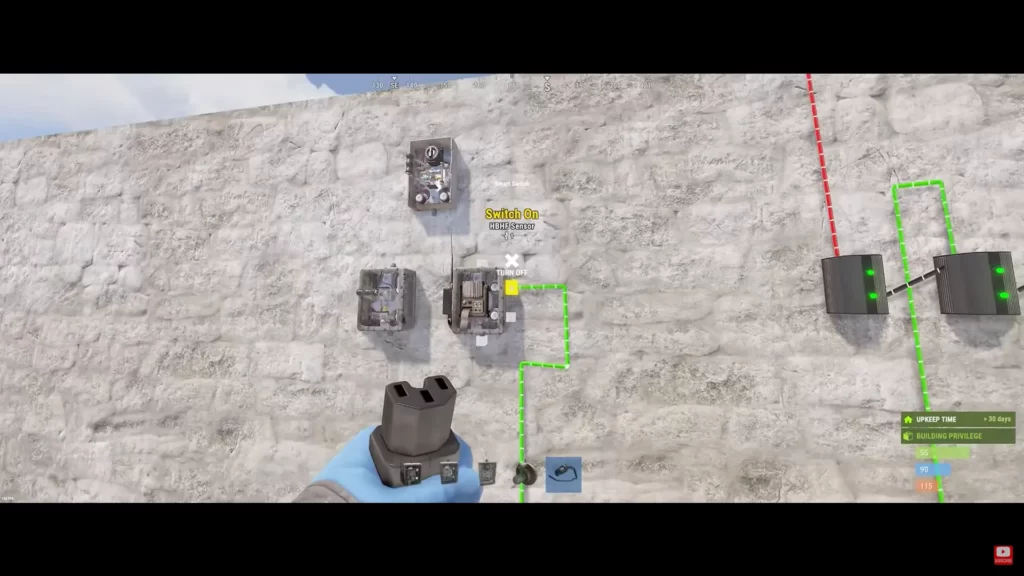
Before you can use a Door Controller, you’ll need to gather the following:
5 High Quality Metal Level 1 Workbench
 Unlock through the Tech Tree (Tier 1)
Once crafted, place it on or near the door you intend to automate.
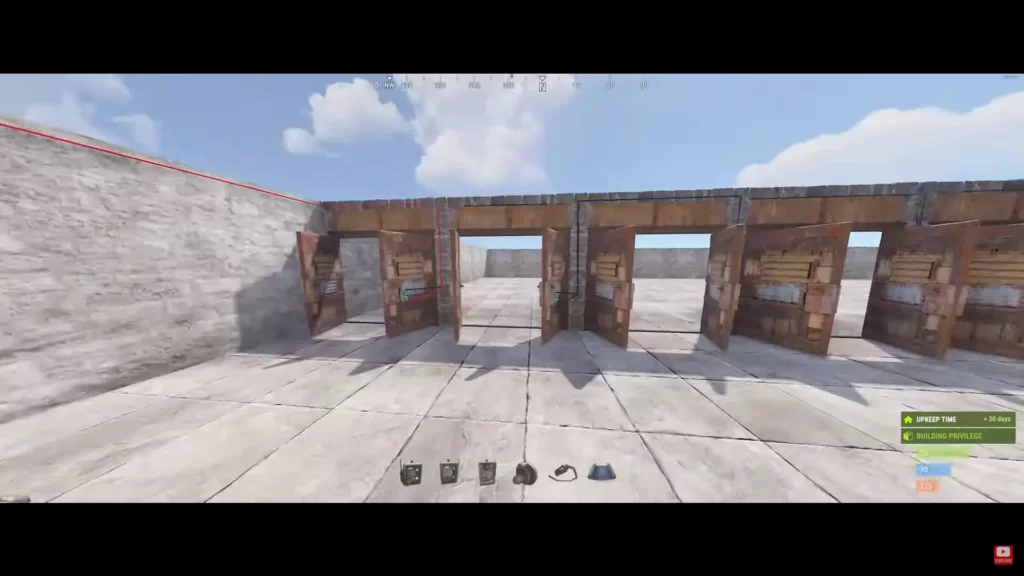
Pairing a Door Controller to a door is a one-time process that links the controller to a specific door you own. Here’s how to do it:
 Place the Door Controller: Attach the Door Controller on the wall next to the door. It doesn’t have to be on the door itself, but should be close enough to interact.
 Own the Door: You must be the one who placed the door or have the proper building privileges.
Pairing Process: Look at the Door Controller and hold E (Use). Select “Pair with Door” from the radial menu. If successful, the Door Controller will now control that specific door.
Own the Door: You must be the one who placed the door or have the proper building privileges.
Pairing Process: Look at the Door Controller and hold E (Use). Select “Pair with Door” from the radial menu. If successful, the Door Controller will now control that specific door.
Once paired, the Door Controller will send a signal to open or close the door whenever it receives power.
The Door Controller requires a 1 Rust watt power input. Here’s how to wire it:
 Power Source: Use a Small Generator, Solar Panel, or Battery.
 Connect a Switch or Button: Wire a button or switch between the power source and the Door Controller.
 Test the System: Press the button, and if the system is wired correctly, the door should open for a brief period (about 0.5 seconds) and then close.
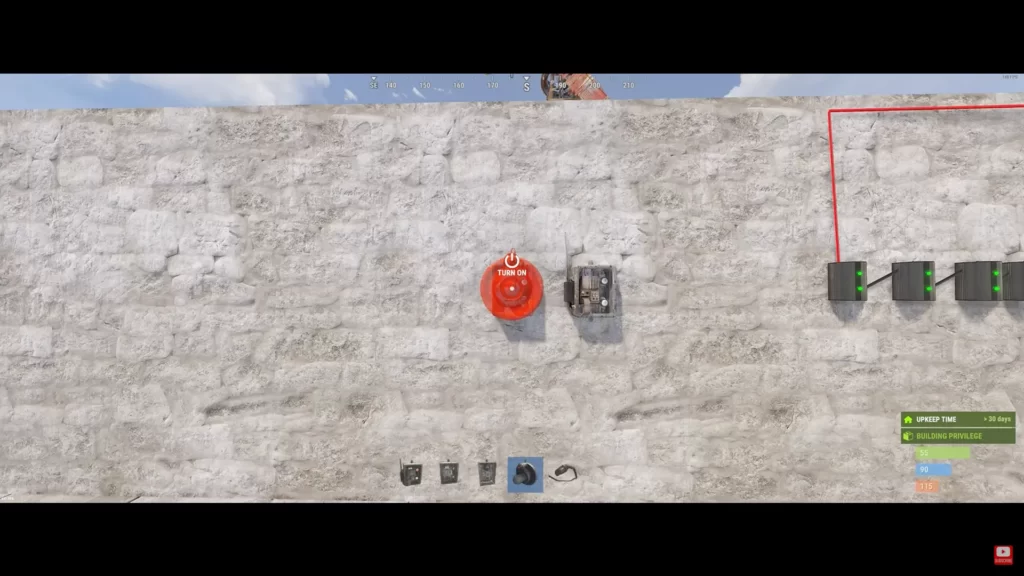
Here are some typical use cases for Rust door controllers:
Pair a Door Controller with a Keypad.
When the correct code is entered, the keypad sends power to the Door Controller, briefly opening the door. This is great for multi-player bases or secure drop-off areas.
Combine motion sensors, counters, or timers to create automated systems that open doors when players approach.
This is useful in trap bases or for convenience within your main base.
Use the Smart Switch or Smart Alarm (paired with the Rust+ app) to open doors remotely.
This setup is perfect for players who want remote access via their phones.
Here are some major limitations of Rust door controllers:
 Cannot Close Doors Directly: The Door Controller only opens the door when powered. If a door is already open, applying power does nothing.
 Short Power Pulse: Doors open only briefly. If you need longer open times, combine with a timer or memory cell.
 Can Be Raided: If attackers find your wiring, they can trace it back to Door Controllers and exploit them. Always hide and protect your wiring.
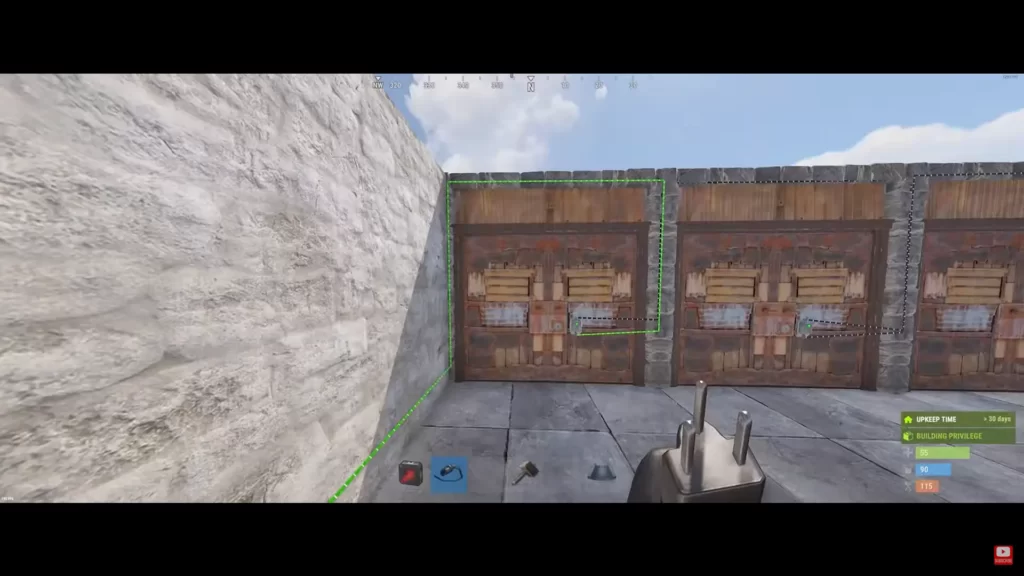
If you’re an advanced player, here are some tips to maximize the utility of door controllers in Rust:
 Use XOR/AND Switches: These allow you to create logic-based access control (e.g., open only when both a timer and a keypad are active).
 Integrate with Auto Turrets: Use doors as part of a trap setup, luring players into open rooms before locking them in.
Monitor Power Usage: The Door Controller only uses 1 watt, but complex systems can add up quickly—consider using a Root Combiner if using solar panels.
Integrate with Auto Turrets: Use doors as part of a trap setup, luring players into open rooms before locking them in.
Monitor Power Usage: The Door Controller only uses 1 watt, but complex systems can add up quickly—consider using a Root Combiner if using solar panels.
The Door Controller in Rust is a simple but powerful tool that can dramatically increase your base’s security and automation. Whether you’re creating complex trap bases or just want to open your garage door from your phone, knowing how to properly pair and wire your Door Controller is essential.
What does a Door Controller do in Rust?
It allows remote-controlled doors to open when powered by electricity.
Can a Door Controller close doors?
No, it only opens doors when powered. Doors will close automatically after a short time.
How much power does a Door Controller consume?
It uses just 1 watt of power.
 How do I pair a Door Controller with a door?
Look at the controller, hold E, and select “Pair with Door” from the radial menu.
 Do I need building privilege to use it?
Yes, you must have building privilege or have placed the door yourself.
Can Door Controllers be used in traps?
Yes, they can be wired with turrets and logic gates to create traps.
Is it safe to expose wiring to Door Controllers?
No, attackers can follow exposed wires and exploit your base. Hide all connections.
国外大站
get $5 in first trade, store discount 25% + 10%, top up bonus 25% + 10%