Welcome to this step-by-step guide on converting your Valorant sensitivity to CS2 and vice versa. By following these instructions, you can ensure consistent precision and quick aiming across both games.
Get ready to enhance your gaming performance and dominate the battlefield with impeccable aim using our comprehensive sensitivity guide!
Getting your sensitivity right is crucial for competitive FPS games like Valorant and CS2. Your mouse sensitivity directly affects:
Aim precision
Flick shot accuracy
Movement control
Muscle memory development
Finding the best CS2 sensitivity is key, as it directly impacts the speed and accuracy of your mouse movement.
Pro Tip:Most pro players use lower sensitivities (typically 0.3-0.6 in Valorant) for better control. Finding your perfect setting can take your gameplay to the next level.
How to Find Your Current Sensitivity
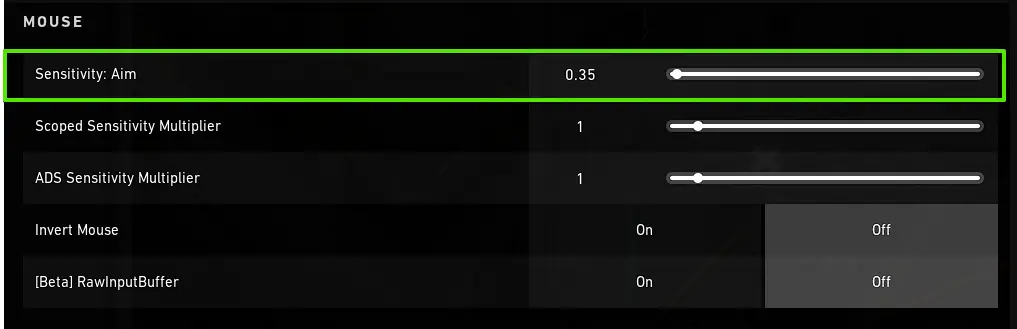
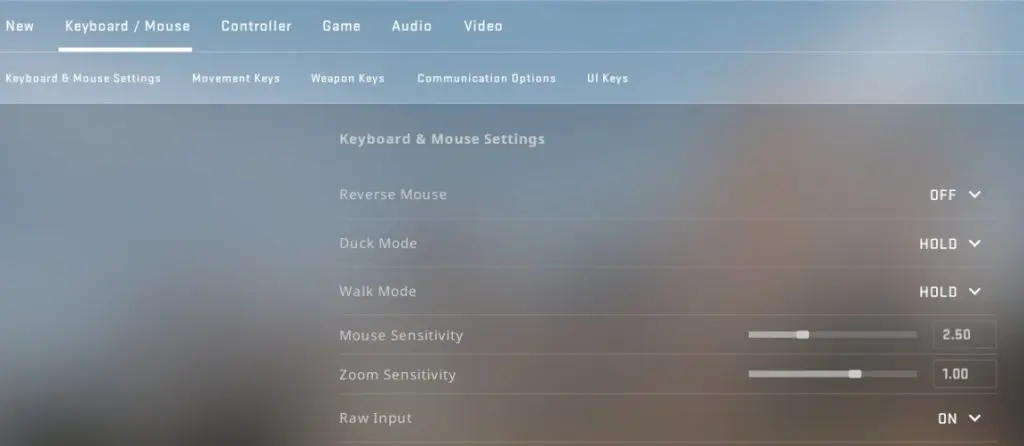
To determine your current sensitivity in Valorant and CS2, you have a couple of options. You can refer to the in-game settings or utilize console commands like “sensitivity” specifically in CS2.
Alternatively, open the console and type sensitivity to see your current setting
VALORANT ↔ CS2 Sensitivity Converter
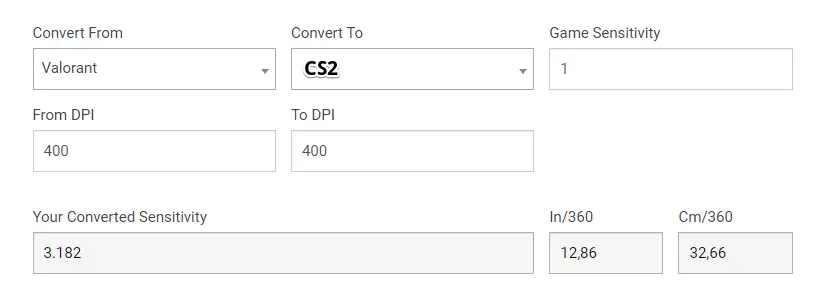
1 VAL = 3.181818 CS2
VALORANT
Sensitivity
FOV
Reset
CS2
Sensitivity
FOV
Mouse DPI
VAL eDPI:280
CS2 eDPI:891
Pro Adjustment Tips
Use 1.0 zoom_sensitivity_ratio_mouse in CS2 for consistent scoped sensitivity
Test in aim_training maps to fine-tune your perfect sensitivity
Your perfect CS2 sensitivity: 1.11
Valorant to CS2 Sensitivity Conversion
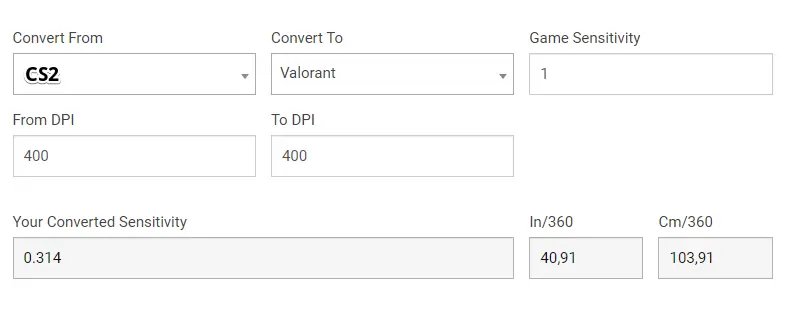
Applying the formula, which essentially divides CS2’s sensitivity by 3.18, helps maintain the same level of sensitivity in both games. As a result, your aiming and overall gaming performance can significantly improve.
Consistency and improved performance can be achieved by maintaining the same sensitivity in both Valorant and CS2.
1. The Simple Formula
The standard conversion factor between Valorant and CS2 is 3.18. Here’s how to use it:
Convert Valorant to CS2:
Multiply your Valorant sensitivity by 3.18. Example: 0.35 (Val) × 3.18 = 1.113 (CS2)
This straightforward conversion method allows for effortless switching between the two games while maintaining consistent precision.
2. Free Valorant to CS2 Sens Converter
Sensitivity converter tools are valuable for this purpose, enabling you to convert your sensitivity settings between the two games and maintain consistent precision.
VALORANT ↔ CS2 Sensitivity Converter
1 VAL = 3.181818 CS2
VALORANT
Sensitivity
FOV
Reset
CS2
Sensitivity
FOV
Mouse DPI
VAL eDPI:0
CS2 eDPI:0
[[Add]]
Scope Sensitivity Ratio
Scoped Sensitivity: 1.11
[[Add]]
Sensitivity Grader
SlowPerfectFast
Medium (Ideal for most players)
Pro Adjustment Tips
Use 1.0 zoom_sensitivity_ratio_mouse in CS2 for consistent scoped sensitivity
Test in aim_training maps to fine-tune your perfect sensitivity
Your perfect CS2 sensitivity: 1.11
3. Fine-Tuning Your Conversion Sensitivity
After converting your sensitivity, whether through a manual formula or an online converter, fine-tuning the newly adjusted settings is crucial.
Modern mice typically perform best at slightly higher DPI levels. Additionally, the ideal mouse DPI setting can vary based on the genre of the game, personal preferences, and even the resolution of the monitor being used.
After converting, you'll want to test and adjust:
Test in Practice Range/DM:
Try flick shots
Practice tracking moving targets
Check spray control
Adjust in Small Increments:
Change by ±0.05 at a time
Give yourself 15-20 minutes to adapt to each change
Consider Your Setup:
Mouse DPI (400-1600 is most common)
Monitor size/resolution
Mousepad space
Pro Tip:Record your gameplay and analyze if you're consistently over- or under-aiming to guide adjustments.
Why Keep Consistent Sensitivity Across Games?
By using the same sensitivity settings in your favorite games, you become more familiar with the game mechanics, enabling quicker and more accurate reactions to in-game situations.
Maintaining the same effective sensitivity helps:
Build stronger muscle memory
Reduce adjustment time when switching games
Improve overall aim consistency
Note:Some differences in game mechanics (like movement acceleration) may require minor tweaks even after conversion.
Sensitivity conversion tools can be incredibly useful in finding the optimal settings for each game while ensuring consistency throughout your gaming experiences.
Understanding the significance of sensitivity, finding your current settings, and utilizing manual conversion formulas or online converters will help you maintain consistency and precision across both games.
Enhance your new sensitivity settings by practicing in Deathmatches or Aim trainers, and remember to stay patient and persistent in your pursuit of gaming excellence.
Frequently Asked Questions
How to Convert Valorant Sens to CS2
If you want to convert your Valorant sensitivity to CS2, here's a simple method. Just multiply your Valorant sensitivity by 3.18. By doing so, you'll have the same level of sensitivity in CS2, as long as you don't adjust your mouse DPI.
Is Val Sens the same as CS2?
No, it's not; you need to multiply the Valorant sensitivity by 3.18 to get the same sensitivity in CS2.
Why is the conversion factor 3.18?
The 3.18 ratio accounts for differences in how Valorant and CS2 process mouse input and field of view. It's been tested and verified by the gaming community.
What sensitivity is too high for CS2?
A sensitivity range of 3+ in CS2 with 400 DPI is too high and can hinder optimal performance. To improve your gameplay, it is recommended to dedicate time to practicing with various settings and subsequently adjusting the sensitivity until you find the perfect balance.
What is the sensitivity of CS2 vs Valorant?
The sensitivity of CS2 is equivalent to multiplying your Valorant sensitivity by 3.18, provided that your mouse DPI remains unchanged.
Does mouse DPI affect the conversion?
No, the conversion formula works regardless of DPI. Just keep your DPI the same in both games after converting.
How can I find my current sensitivity settings in Valorant and CS2?
To configure your sensitivity settings in Valorant and CS2, you have a couple of options. You can check the in-game settings where you'll find the respective options.